How do I Offer a Temp Job?
If the temp job has already been created -
-
Find the temp job by location and date via the calendar view, and click on the Offer to Pros link

- A pop up window will appear with available pros that match the position of the shift you are trying to offer.
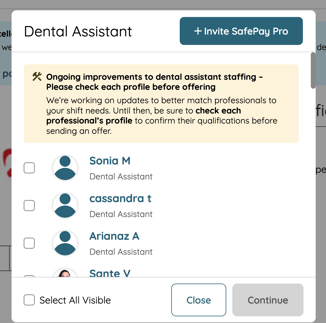
- Select the box to the left of each pro that you would like to offer to, once at least 1 selection is made, you are able to click on the continue button.
- Note: If a Temp shift has not been created yet, follow these steps to create a temp shift.
You can also offer temp shifts to a specific professional via the Professional Search view.
Use the magnifying glass icon, located on the top left of your practice page.
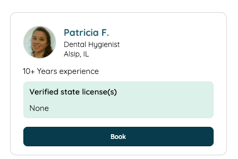
You can offer the shift to the pro by selecting "book" under the professional card.
From there, you can create a shift if one has not been created or select an already created shift.